Diablo 4 gives players a huge amount of control over how their characters look and play, from gear affixes to build choices. Profile customization is a smaller feature, and it is easy to overlook while chasing loot. Still, it is one of the few social tools that lets a player add personality without touching a single stat. In 2026, with seasons and endgame systems constantly moving, a profile card can act as a small permanent signature. The system is simple: open the inventory, select Profile, and adjust a title, an emblem, and privacy. The menu explains itself well enough, but a few details are easy to miss.
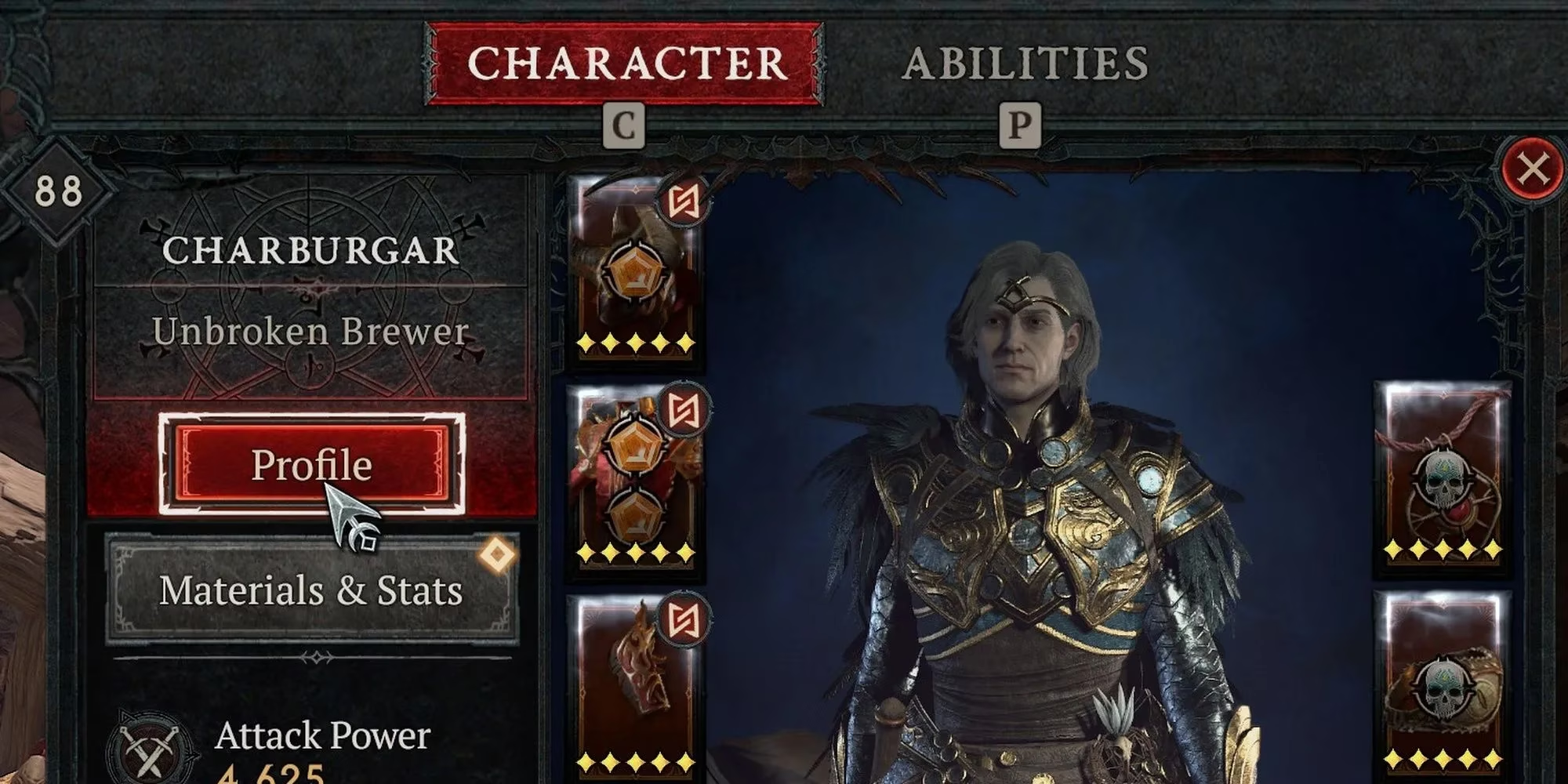
How To Open The Profile Menu
Players can customize their profile by opening the inventory and selecting the Profile option at the top-left of the menu. This opens a separate interface with three main choices: Title, Emblem, and Privacy. None of these options changes combat power, but they do change how other players see the character in social menus and in the world. The profile is not a build guide, and it is not a stat sheet. It is a calling card.
What Each Option Does
| Option | What It Does | Details To Know |
|---|---|---|
| Title | Adds a prefix and suffix under the character name | Earned through challenges; account-wide; some are time-sensitive |
| Emblem | Adds a unique symbol to the profile card | Shown in the Social tab; three default emblems |
| Privacy | Controls who can inspect the character | Public by default; private limits inspection to friends |
Titles Are The Main Event
Titles are the most visible part of the system. A title consists of one prefix and one suffix, and players can combine any unlocked pair. The result appears under the character name in-game for other players to see. Titles are unlocked by completing in-game challenges, all of which live in the Challenges tab of the Collections menu. A golden treasure chest on the top-right of a challenge card is the signal that the challenge awards a title.
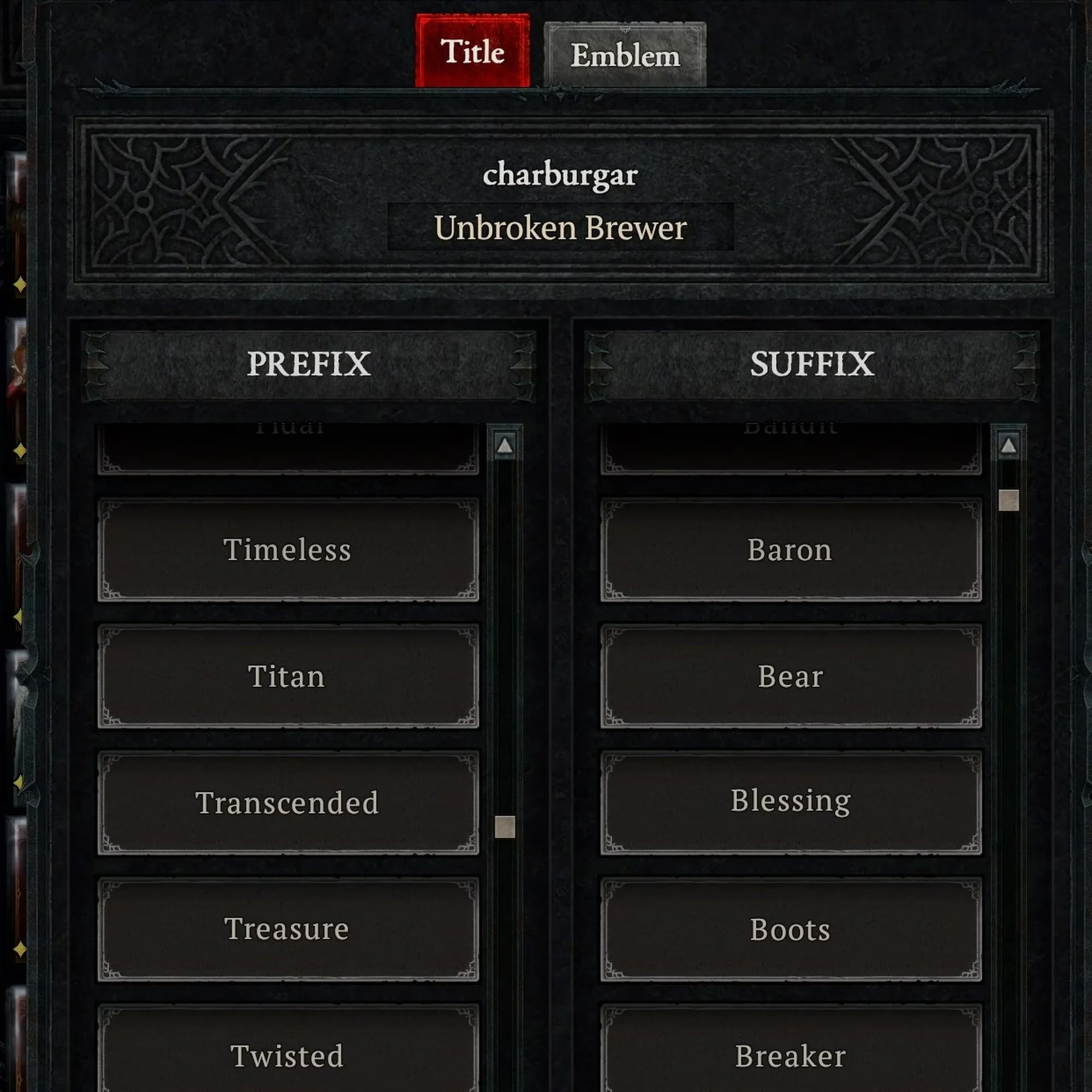
A few rules matter here. Earned titles are account-wide and do not reset between seasons. That makes them a reliable long-term collectible. Some titles are time-sensitive or require Hardcore play. The Voyager title, for example, was only usable by players who reached level 20 during the closed or open beta periods. Those special cases sit in the Feats of Strength category of the Collections menu. Players who ignore that tab can miss a whole shelf of bragging rights.
Emblems Are Social Tab Only
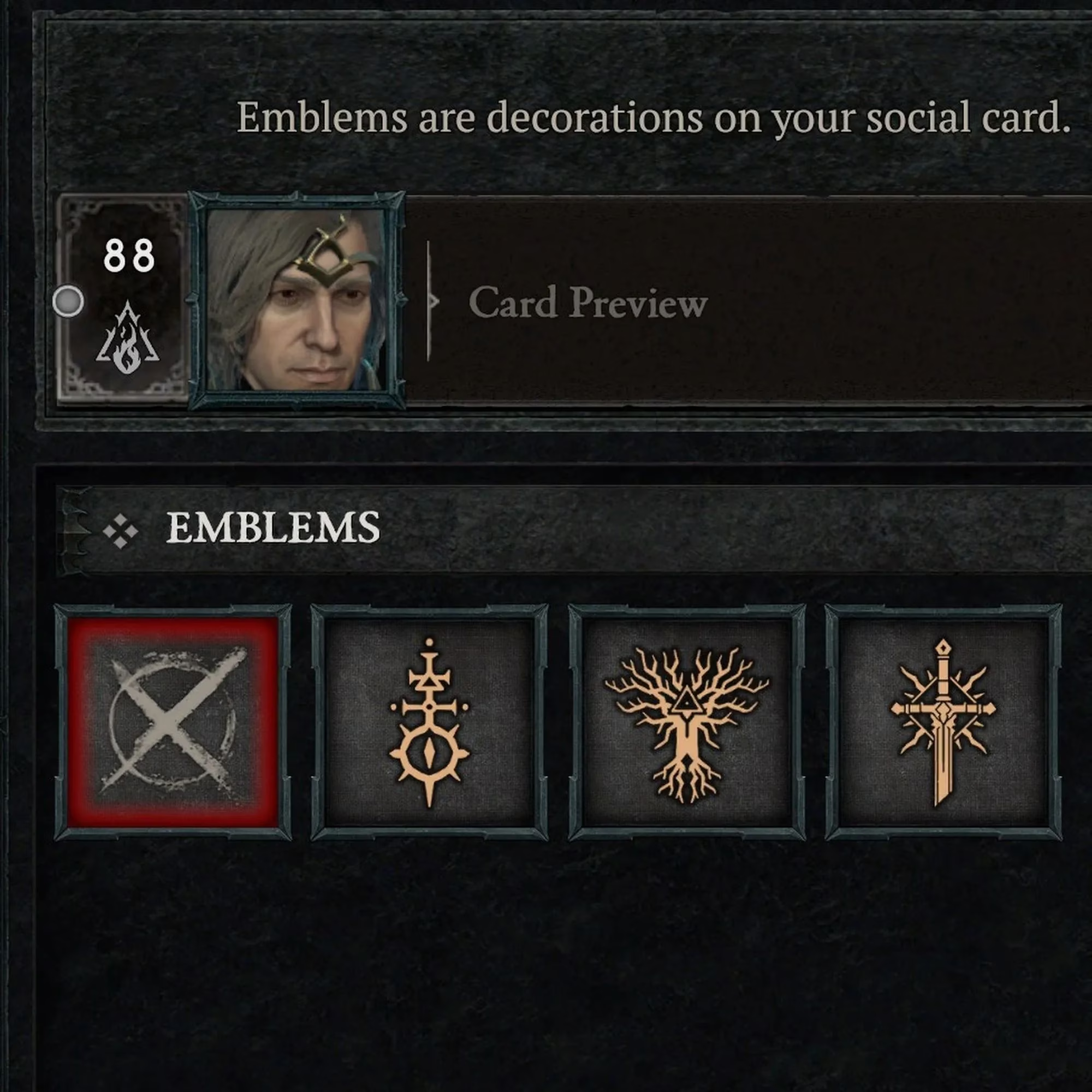
Emblems add a unique symbol to the profile card that others can view from the Social tab. They are not anchored next to the name the way titles are, so players should not expect them to float above the character in town. Everyone has three emblems by default. The reference material notes that the launch build offered no additional earnable emblems; players returning in 2026 should still check the current Social tab for any later additions. The emblem is a quiet detail, but it gives the profile card a finished look.
Privacy Is Easy To Forget
At the bottom of the profile customization tab is the privacy setting. It determines who can inspect the profile in-game. Public is the default, and it allows anyone to inspect the profile, including equipped gear. Private means only friends can inspect the character. This is a small toggle with real social weight. Players who share screenshots, stream, or play with large clans may want to think about it before leaving the default in place. It does not affect gameplay, but it does affect information sharing.
Why Bother With A Profile?
Profile customization will not clear a Nightmare Dungeon or fix a weak build. It is cosmetic and social. That is exactly why it works. A title can signal that a player finished a tough challenge, chased a rare achievement, or simply found a funny combination. An emblem can make a profile card easier to recognize. Privacy can keep a character's gear out of casual inspection. In a game where so many choices are about damage buckets and breakpoints, a profile is a rare low-stakes expression of identity.
Quick Checklist
-
Open the inventory and select Profile.
-
Pick one prefix and one suffix for the title.
-
Choose one of the default emblems.
-
Set privacy to public or private.
-
Check Collections > Challenges for golden chest icons.
-
Remember that earned titles are account-wide.
-
Check Feats of Strength for time-sensitive titles.
Common Mistakes
-
Expecting emblems to appear next to the character name. They appear in the Social tab.
-
Assuming titles reset with a new season. Earned titles do not reset.
-
Ignoring time-sensitive Feats of Strength challenges.
-
Leaving privacy on public without realizing that equipped gear can be inspected.
-
Treating the profile menu as a gameplay system. It is a social layer, not a power layer.
Diablo 4 is full of systems that demand optimization. The profile menu is not one of them. It is a small, optional, and surprisingly personal corner of the game. Players who take two minutes to set a title, pick an emblem, and check privacy will end up with a cleaner social identity. It will not make the character stronger, but it will make the character easier to remember. In 2026, that is still worth something.
According to coverage from Steam, profile-facing features often matter because they shape how players present themselves to others even when they do not affect combat performance. That perspective fits Diablo 4's title, emblem, and privacy options well, since they function less like progression systems and more like a visible identity layer that supports recognition, social interaction, and personal style across long-term play.